
twichat, a desktop Twitch client built around chat
twichat 0.1.0 is out: a free, open-source Twitch client for macOS, Windows and Linux, where the chat takes the window and the stream sits beside it.

twichat 0.1.0 came out tonight. It’s a desktop Twitch client, free and open source, for macOS, Windows and Linux. The idea fits in one line: a room with the TV on. The chat takes the window, the stream sits beside it. You can download it from twichat.theslumdogemillionaire.com.
Why a desktop client
On a stream page, the chat lives in a narrow column to the right of the video. Usernames get cut, emotes shrink to the minimum, and every channel needs its own browser tab. When you follow several streams at once, or you mostly come for the conversation, those proportions don’t work.
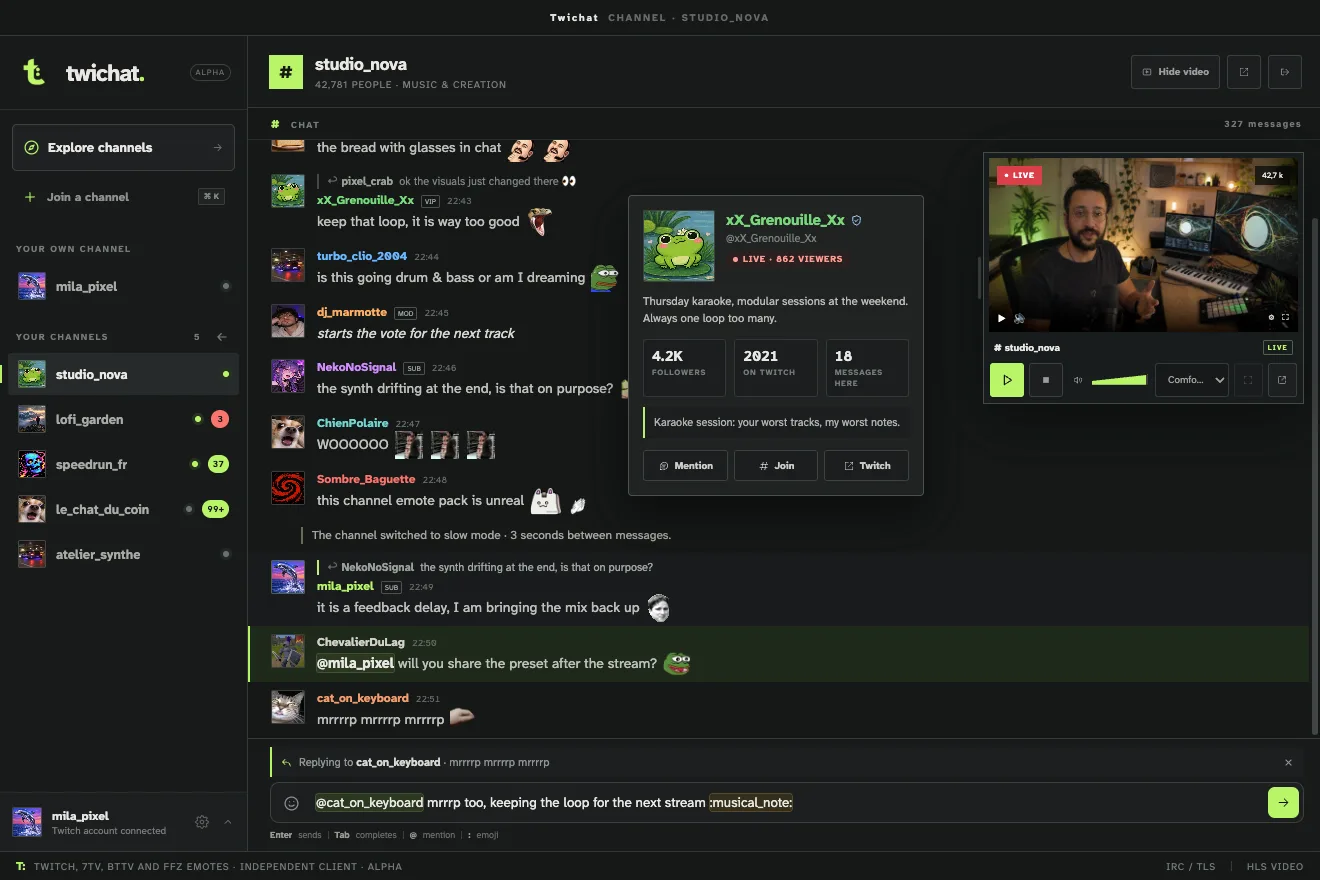
In twichat, they’re yours. The chat spans the width of the window, with avatars, badges and emotes at full size. Replies form threads, and mentions colour the line and notify you. The stream takes whatever room you leave it.
What version 0.1.0 does
- Up to twenty channels open in the sidebar, and ⌘ K to switch between them.
- Twitch, 7TV, BetterTTV and FrankerFaceZ emotes, rendered right in the chat.
- Several Twitch accounts, automatic reconnection to the last one used, or anonymous mode to read and watch without an account.
- Live stats (viewers, uptime) and an explorer for the channels you follow.
- A light theme and a dark theme.
- Updates checked at launch and every six hours. On Windows, they download on their own and apply on restart.
Video, in the space you give it
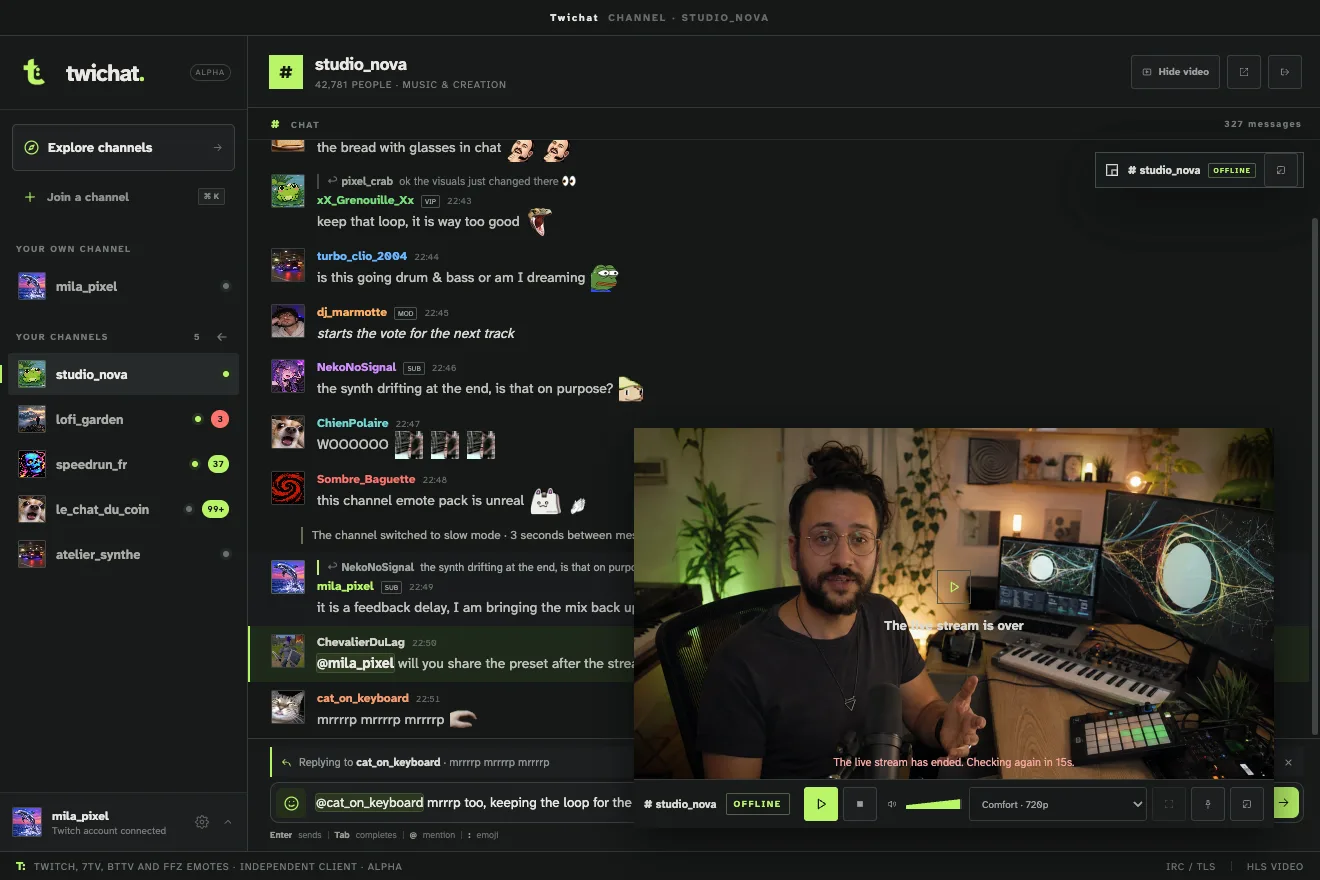
The player shows, hides, resizes, goes full screen or audio only. It can also move into its own window, which keeps the stream’s proportions and can stay on top of everything else. That window follows the room: same channel, same controls, and the choice is remembered per account.
Under the hood
twichat doesn’t load Twitch’s web page. The chat goes through a single encrypted IRC connection, shared by every channel. Messages arrive in batches every 80 milliseconds rather than one at a time, and when a channel floods, it’s the old ordinary messages that get dropped, never the moderation ones.
Each channel keeps its last 500 messages, and only the ones on screen exist in the page: a huge channel costs the same as a small one. On the video side, the app reads the channel’s HLS playlist, picks the quality from the measured resolution and bitrate rather than the labels, and hands playback to hls.js. It’s the only library in the project that touches the stream: the chat and the emote rendering are home-made.
The app is built with Electron, Vite and TypeScript, with a strict split of roles: only the main process touches the network, the disk and the Twitch tokens. The windows draw and ask, with no direct access to anything.
Signing in without handing over a secret
Twitch sign-in requires a secret that an app installed on your machine can’t keep. So the exchange goes through a small server, and the app never sees that secret. It draws a random value, sends only its hash, and has to present the original to collect its tokens: that’s the PKCE principle. The intermediate ticket lives two minutes, works once, and three wrong attempts destroy it.
What twichat knows about you
Almost nothing, and it’s written down in the repository. No telemetry, no analytics, no crash reports sent anywhere. Your Twitch tokens are encrypted by the system keychain. Chat messages are never written to disk: they stay in memory and are gone when the window closes. To erase everything, delete the app’s folder; there’s no account to close anywhere else.

An alpha, in the literal sense
Version 0.1.0 lives up to the label. macOS on Apple Silicon is where the app was built and tested; the Windows and Linux builds come out of the same pipeline, but nobody has installed them yet. The apps aren’t signed: macOS will show the unidentified-developer warning, Windows will show SmartScreen.
The code is MIT-licensed, on GitHub. If something breaks, that’s the place to say so, which is rather the point of an alpha.
Download it, open your channels, and tell me what’s missing. Much chat. Such window.
Frequently asked questions
What is twichat?
A free, open-source desktop Twitch client where the chat takes the window. Avatars, badges and emotes show in full, replies form threads, and the stream stays beside them at whatever size you give it.
Can I use twichat without a Twitch account?
Yes. Anonymous mode lets you read the chat and watch streams. A Twitch account is needed to send messages and for features that require signing in.
Which systems does twichat run on?
macOS, Windows and Linux. Version 0.1.0 is an alpha: only the macOS build on Apple Silicon has really been put through its paces, and the apps are not signed yet.
How many channels can I open at once?
Up to twenty, in the sidebar, with ⌘ K to switch between them. A single encrypted IRC connection serves all of them, and one video stream plays at a time.
Which emotes does twichat show?
Twitch, 7TV, BetterTTV and FrankerFaceZ emotes, rendered right in the chat, along with Twitch avatars and badges.
Does twichat collect any data?
No: no telemetry, no analytics, no crash reports sent anywhere. Twitch tokens are encrypted by the system keychain, and chat messages are never written to disk.